How to delete a cycle

Nov 12, 2025
1 min read
Updated: Aug 24
If you need to remove a cycle from your chart, you can delete it from your Daily View or Calendar page.
To delete a cycle:
1. Go to your Daily View or Calendar/Chart View screen.
2. Confirm that you are on the correct cycle.

3. Tap the light blue “+” button in the top-right corner.

4. Select “Edit Cycle.”

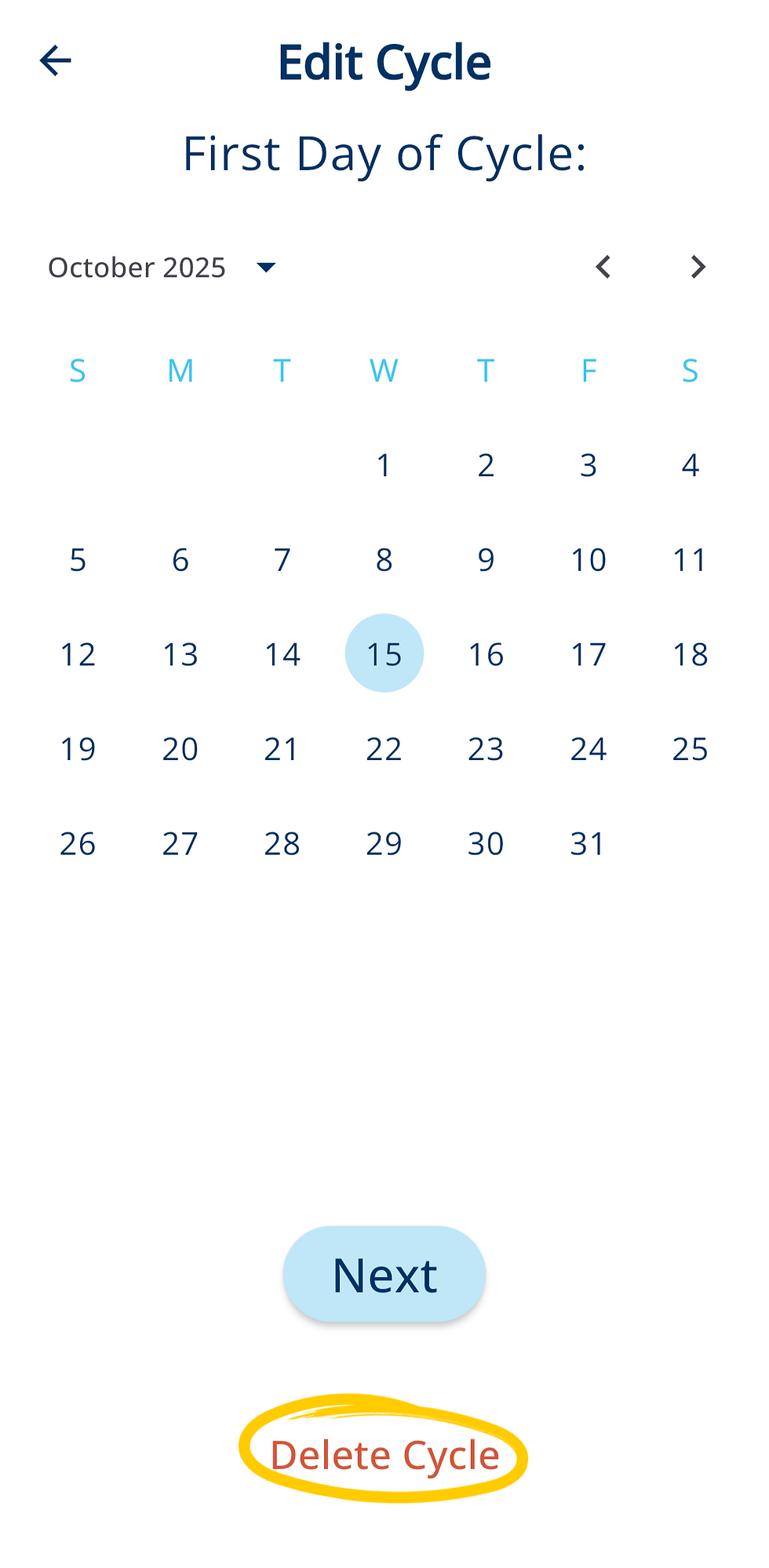
5. On the first screen, where you’re asked to select the First Day of Cycle, choose “Delete Cycle” at the bottom of the page. Follow the prompts to confirm the deletion.
PLEASE NOTE: Deleting a cycle permanently removes that cycle and its charting data, so make sure you no longer need the information before continuing. After deleting a cycle, allow some time for the app to process the change and for the algorithm to recalculate your chart.

